The right people, in the right place, without loose spreadsheets.

Shifts, leave, communications and workplace screens in one place. Built by people who run businesses, for the people who keep them moving every day — not another payroll-first HR system.

Micro is free for small teams. SaaS and on-premise are separate solutions for larger organisations.

HumanDesk SaaS with every module enabled

HumanDesk SaaS and on-premise demonstration environment with every module visible: shifts, requests, calendar, events, assets, assistant, communications, documents, reports, activity log and screens.

Works for:Workshops and small manufacturersBars and restaurantsShops and retailLogistics and warehousesClinics and care homesCo-operatives and services…and wherever people, attendance and work need coordinating
Why it is different

Born where work happens, not in a meeting room.

Traditional HR software starts with payroll and may eventually reach shifts. HumanDesk starts where work happens: who is here today, who covers tomorrow, who is the fire marshal and how to tell everyone without twenty phone calls.

Safety is visible in the rota

Fire marshals, first aiders and supervisors appear directly in the shift grid, so an uncovered day is visible before it happens.

People arrange shift swaps themselves

One employee proposes, a colleague accepts on their phone and the rota updates. A manager approves only where genuinely needed.

Workplace screens, not forgotten reports

The demo shows shifts, safety cover, planning and efficiency on operational screens. Data connections and any hardware are designed for each organisation.

Solutions

Everyday problems, explained one at a time.

Each page starts with a practical problem and shows only functions already present in the HumanDesk demonstration.

Leave and absence

Know who is away before organising the work

From the request to calendars, rotas, availability, safety cover and reports: one piece of information that follows the work.

Open the solution
  • Requests from a phone or computer
  • Personal and team views based on permissions
  • Absence visible while work is planned
Calendar with leave and company events
Shifts and shift swaps

The same rota version, available on a phone

From shift definitions to a swap proposal: the rota, people and approvals stay in the same workflow.

Open the solution
  • Monthly or weekly view
  • Mobile access
  • Shift swaps tracked through to the rota
Complete shift grid with safety cover
Events, training and visits

Invitations and responses in one place

Meetings, training, audits and scheduled visits: people, times and responses remain visible without rebuilding the picture from messages.

Open the solution
  • Configurable event types
  • Invitees and responses in view
  • Events and leave in one calendar
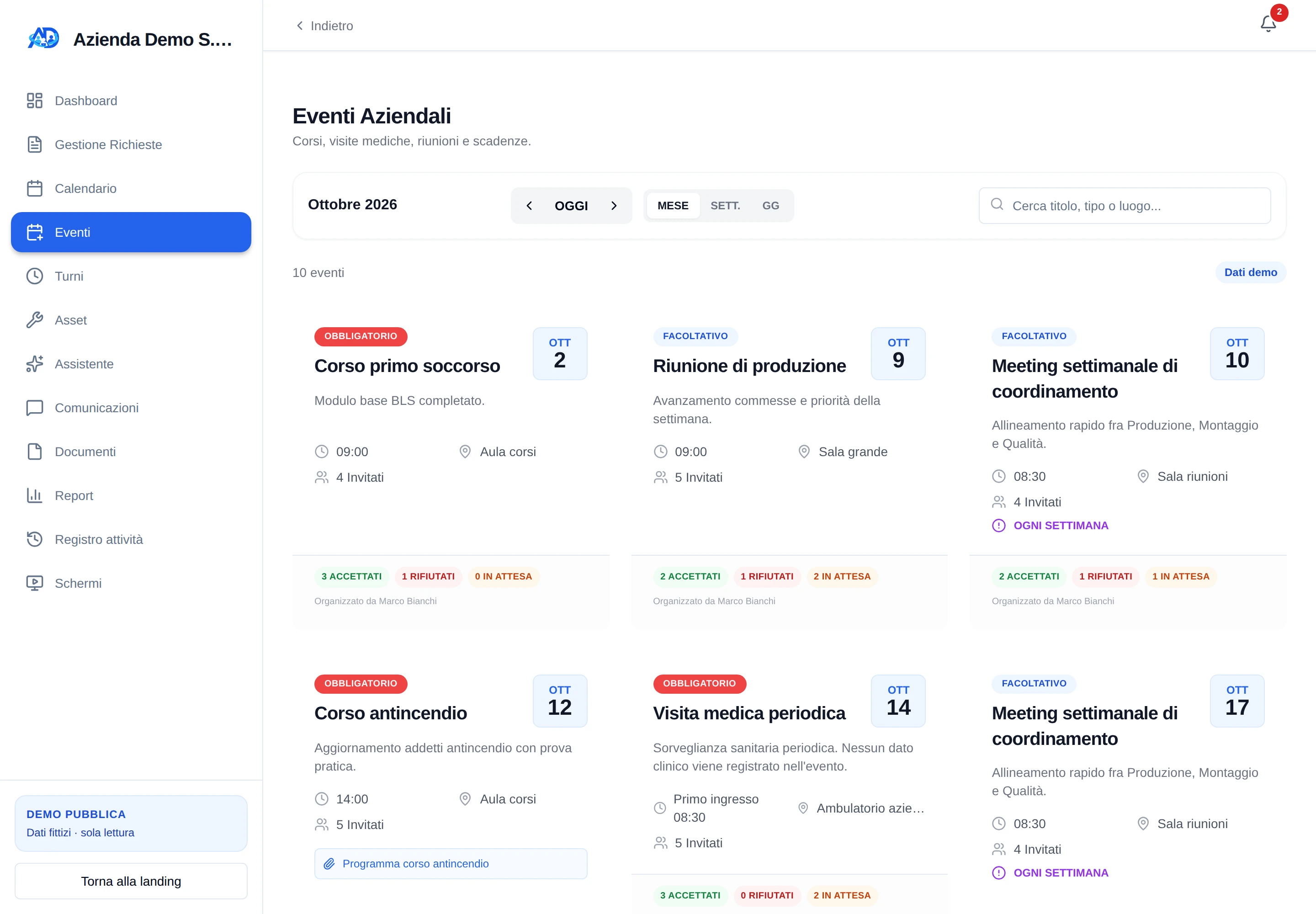
HumanDesk company events with training, meetings and response status
Employee communications

One official version of every announcement

The title, message, author, date and priority stay on the noticeboard; authorised people receive the module’s configured alerts.

Open the solution
  • Announcements ordered by date
  • Important communications highlighted
  • Images and PDFs in Shared Documents
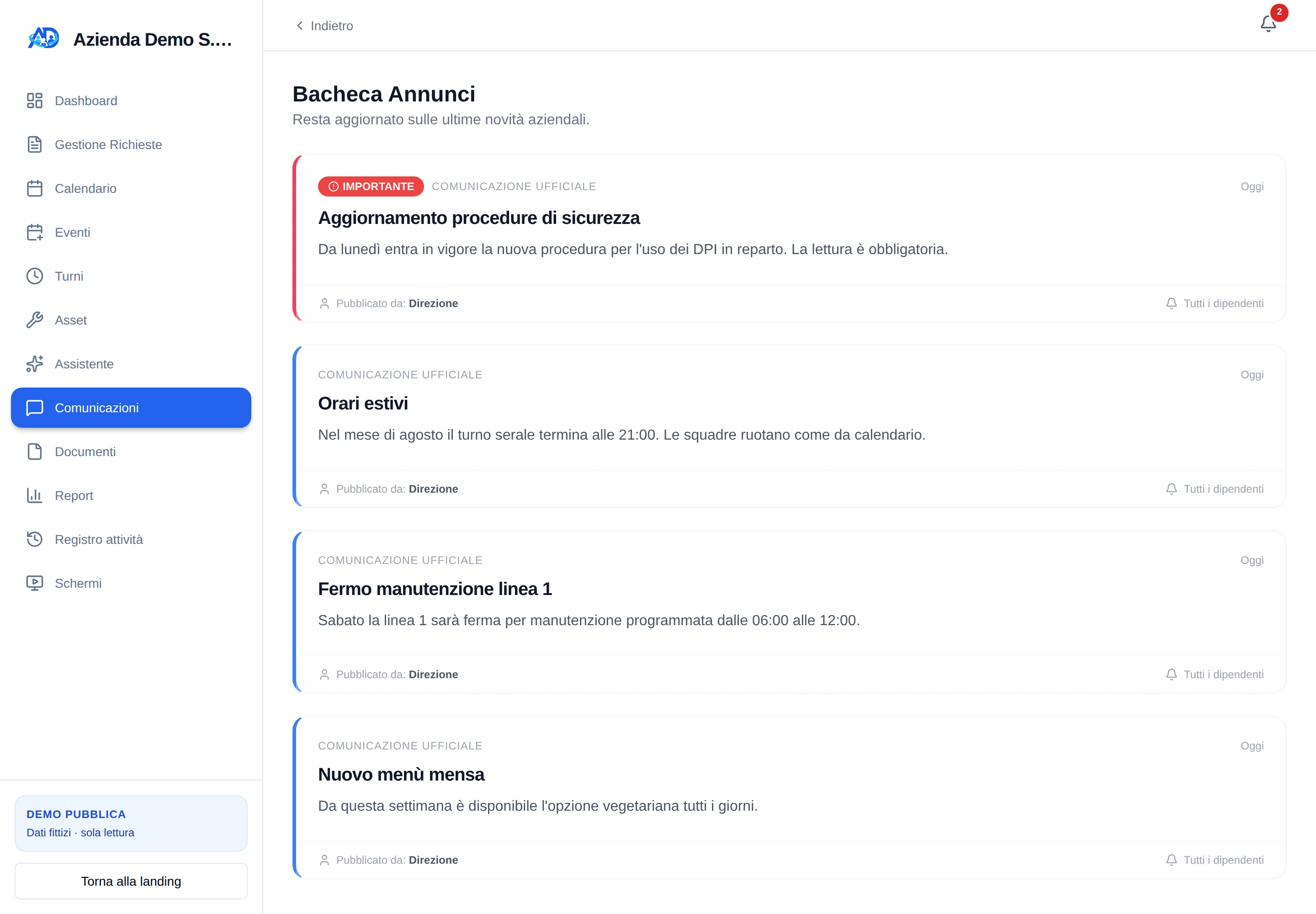
HumanDesk noticeboard with official communications, priority, author and date
Company documents

The right file, where the right people can find it

Shared, uploaded, received and HR files remain distinct: the name, uploader, date and search stay with the document without confusing its audience.

Open the solution
  • Separate areas by audience
  • Search by file name
  • PDFs and images up to 10 MB
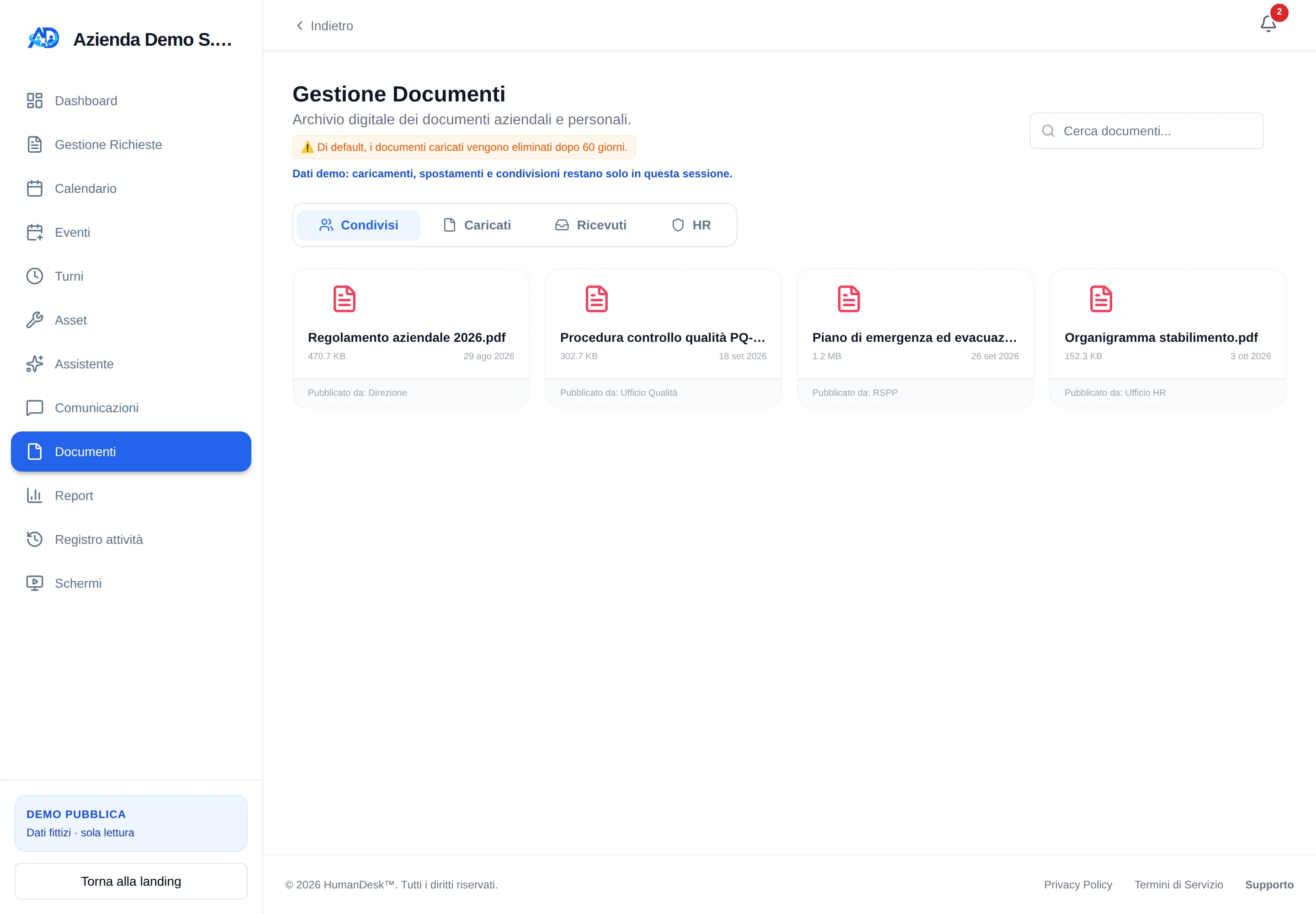
HumanDesk document library with Shared, Uploaded, Received and HR areas
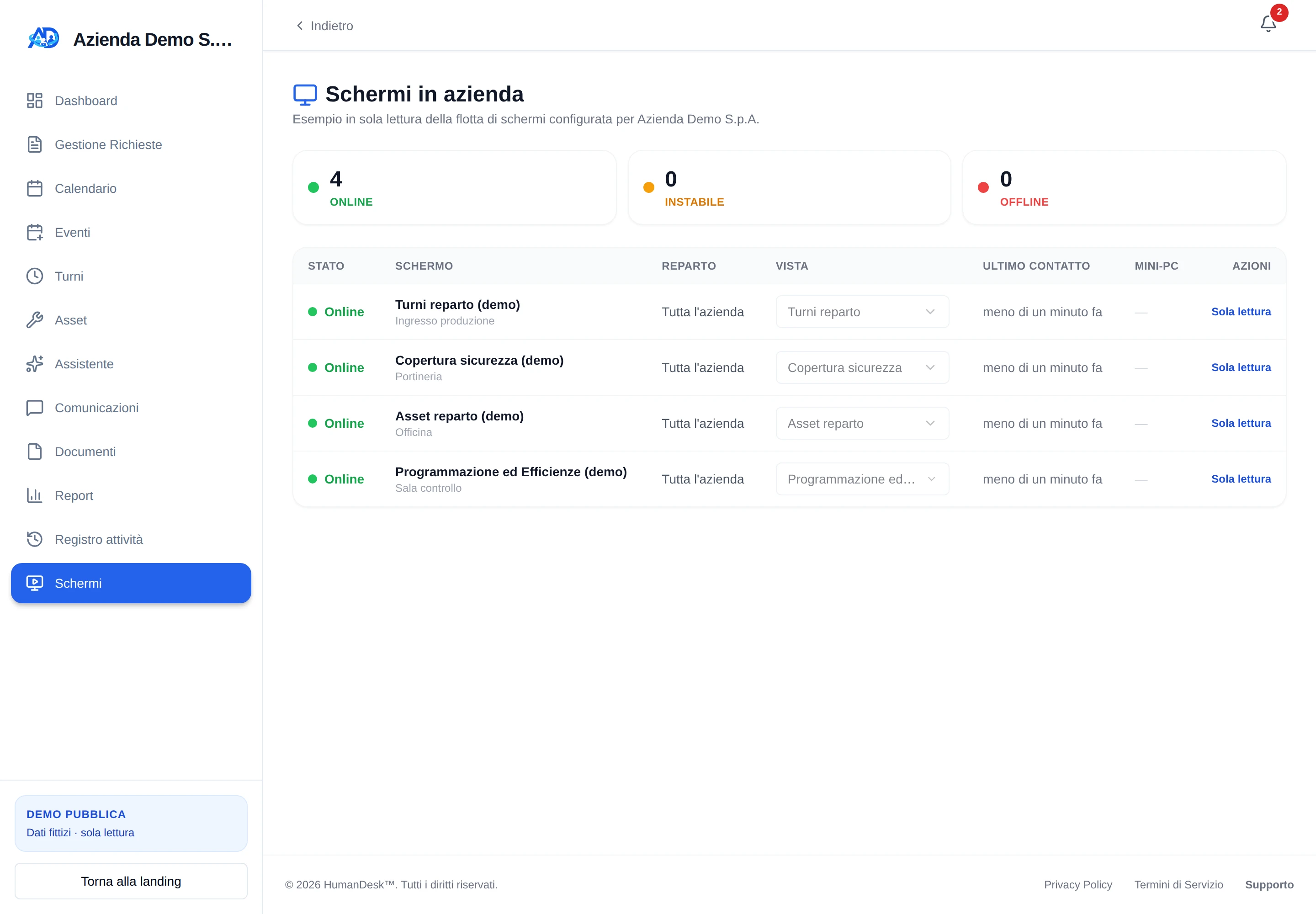
Workplace screens

The operational view, where people need it

Every board has a name, location, view and department; the fleet reports last contact and status without creating separate copies of the data.

Open the solution
  • A view and department for every screen
  • Online, unstable or offline status
  • A dedicated board in the device browser
HumanDesk screen fleet with locations, views and connection status
Beyond shifts

From data to screens: a project, not a switch.

These screens show a possible outcome. Management-system connections, clocking, machine data collection, OEE and any hardware must be analysed, implemented and tested case by case.

Operational screens
SaaS · on-premise

Views designed for the workplace

  • The demo shows a rota board for an organisation or department
  • The device and access method depend on the environment
  • Mini PCs, smart TVs or other hardware are assessed on site
  • Configuration and testing are part of the project
Demonstration workplace screen showing the monthly rota
Planning and efficiency
SaaS · on-premise

A view that must be connected to production data

  • The demo combines current work, quantity and progress
  • Standards, queues and deliveries require reliable data sources
  • Assets and people can be placed in the same context
  • Management-system connections are assessed case by case
Demonstration Planning and Efficiency view
Efficiency / OEE
SaaS · on-premise

OEE when machine data is available

  • The demo shows indicators by asset and period
  • Real calculations depend on collected data
  • Rotas and machine data can be combined
  • Collection and integration must be designed and tested
Demonstration machine efficiency and OEE view
People efficiency
SaaS · on-premise

A view defined with shared data and criteria

  • The demo switches from assets to resources
  • Attendance and efficiency remain separate indicators
  • Periods and criteria must be agreed
  • The meaning of the data depends on the real process
Demonstration resources and people efficiency view
Operations assistant
SaaS · on-premise

Answers based on the sources that are actually available

  • The demo queries leave, rotas and safety cover
  • Workloads and efficiency require their respective data
  • Every answer exposes sources and missing data
  • Integrations depend on the organisation's systems
HumanDesk assistant with questions about demonstration data
Truly modular

Start with shifts and leave. Add the rest when needed.

Everyday software functions are available in the platform; screens and industrial integrations require a dedicated project.

Select a module to see its screen.

Availability is derived immediately from leave, rotas and events. Clocking, actual attendance, management systems and machine data are connected only after the data and environment have been assessed.

And we can work together to develop the features your organisation needs.

Three ways to use it

From a local café to a factory

One platform in three sizes: choose what fits today and change as you grow.

Micro
Free

For teams of up to 10 people: cafés, shops, practices and small departments.

  • Phone-friendly shifts
  • Leave, requests and shift swaps
  • Team communications
  • Self-service set-up in 2 minutes
Start free with Micro
Coming to
App Store
Coming to
Google Play
SaaS
Subscription

For organisations choosing the cloud: no infrastructure to manage, access from anywhere and updates included.

  • Complete rota and safety coverage
  • Sites, departments, roles and permissions
  • Modules switched on as needed
  • Reports, activity log and documents
  • Screens and assistant
Request a demonstrationAlready have an account? Sign in
On-premise
Tailored

For larger organisations: a project installed on your servers and adapted to your processes.

  • Data stays within the organisation
  • Attendance and machine integrations designed for the environment
  • People, equipment, efficiency and workload when the data supports them
  • Kiosk screens configured and tested for the workplace
  • Dedicated development
Talk to us

Start the next shift here.

Create your team with Micro in two minutes, with no card. If you run a larger organisation, talk to us — the first conversation is as free as Micro.